Payments Settings

Configure payment methods, payment gateways, invoice payment rules, deposits, and production payment controls inside Print Shop Worx.

This support article explains how to configure and maintain Payments Settings so customer payments and production workflows are handled correctly.

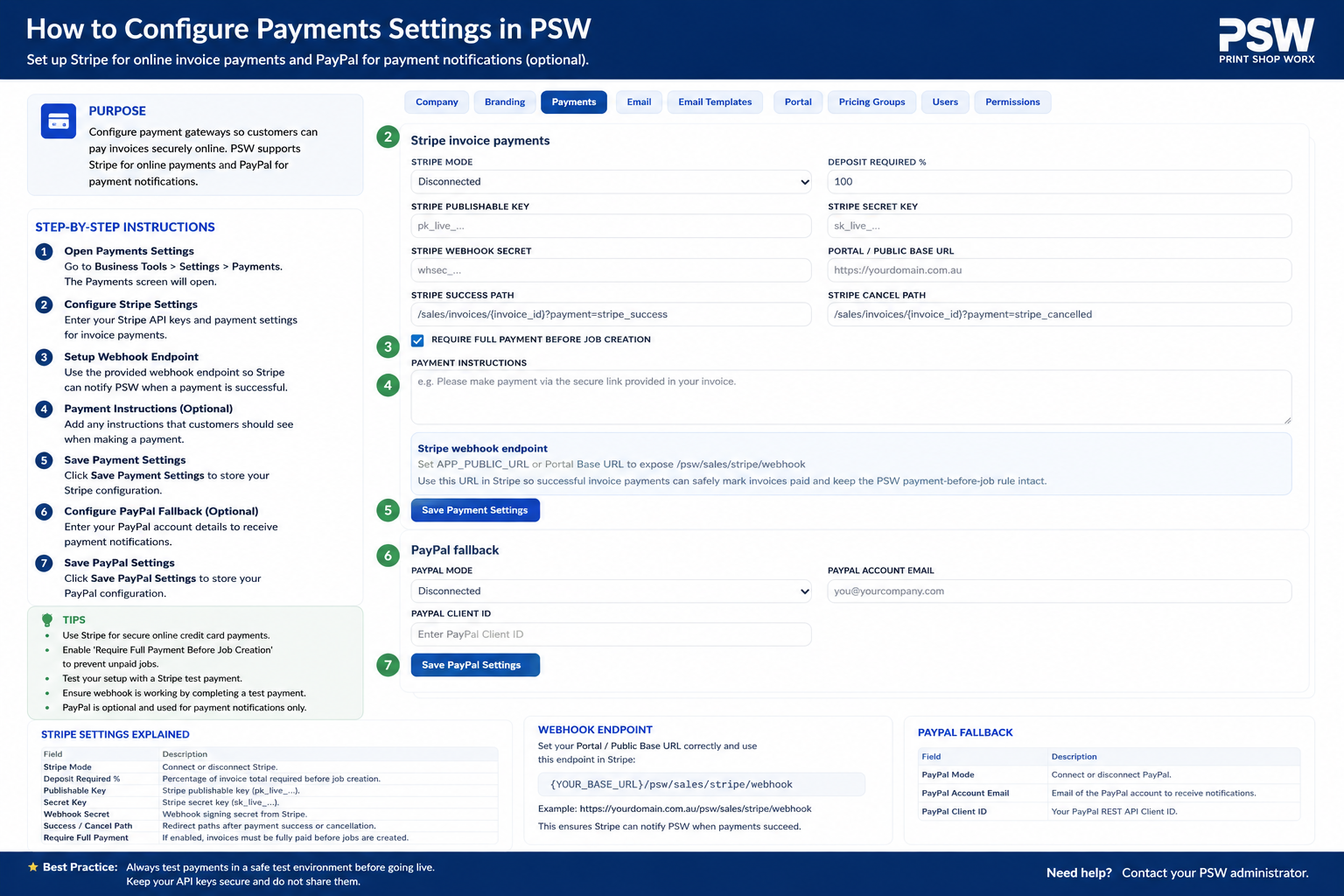
Overview

Task Bar

The Payments Settings section controls how customers pay invoices and how Print Shop Worx treats payment status across sales and production.

This is an important setup area because your workflow rule should prevent production from starting before the required payment has been received. For direct to bank deposit add the bank details to the memo or footer field.

Step-by-Step Instructions

Payment Settings Screen

What to Check Before Saving

  • Payment gateway details are correct.
  • Bank transfer details display correctly on invoices.
  • Deposit rules match your production workflow.
  • Invoice payment status updates correctly.
  • Paid invoices can move forward to production when required.

Best Practice

  • Use clear payment terms on every invoice.
  • Require payment or deposit before production starts.
  • Test payment links before sending invoices to live customers.
  • Keep bank details and gateway credentials secure.
  • Review payment settings whenever your workflow or accounting process changes.

Common Issues and Fixes

  • Payment link not working: Check payment gateway settings and API credentials.
  • Job not releasing to production: Confirm the invoice is marked as paid or deposit received.
  • Bank details missing from invoice: Review payment instructions and invoice footer settings.
  • Customer says payment was made: Check invoice payment status and manually record payment if needed.